
With thousands of RAZ devices leaving from our warehouse in Pomona, CA every day, a key problem we get from customers comes to the table: "How to charge different RAZ devices?"
It's a fair question. With 5 on-sale RAZ models right now, you may come across some differences during everyday usage. Since the screens are different, they may have different indicators. And RAZ VUE 50K, the one with a detachable battery system, may confuse you when it comes to charging.
So, this guide covers every single one of RAZ devices, and those upcoming ones in the future. No outdated info about models that don't exist anymore. What you'll get will be the actual steps and advice straight from the team that handles these units daily.
What Charger Does RAZ Vape Use?
Short answer: USB-C. Every current RAZ model (TN9000, DC25000/LTX 25K, RYL Classic 35K, RX 50K, and VUE 50K) uses a USB-C charging port.
That means you can charge your RAZ vape with:
- Any USB-C cable you've got at the moment (Type-C phone charger, laptop cable, tablet cable)
- A 5V/1A or 5V/2A wall adapter - the standard brick that comes with most phones
- A power bank with USB-C output
- Your car's USB port (if it has USB-C or via USB-A to USB-C cable)
RAZ Vape Charging Specifications Comparison Chart (2026) - Data from RAZ Vape US Warehouse
Shop RAZ Vape — All Models In Stock
Every model covered in this guide ships from our Pomona, CA warehouse. Pick yours.



How to Charge RAZ TN9000
TN9000 The classic that started it all. 650mAh battery, 9,000 puffs, USB-C.
The TN9000 has over 40 flavor options and the smallest battery in the lineup. That's actually a plus for charging - it fills up fast. You can get a full charge during a lunch break.
One thing about the TN9000: the LED is a single color. It lights up when charging, goes dark when done. No color changes, no percentages. Simple. If the LED starts blinking, that's a different situation - check our blinking light guide.
How to Charge RAZ DC25000 / LTX 25K
DC25000 The mid-range workhorse. 800mAh battery, 25,000 puffs, USB-C.
The DC25000 (also sold as the LTX 25K) has a bigger battery than the TN9000, so it takes a bit longer. The tradeoff? You're getting 25,000 puffs per unit - roughly 3x the lifespan.
This model comes in several editions: Frozen, Gush, Punch, and the standard lineup. Charging is identical across all editions. Same port, same battery, same process.
How to Charge RAZ RYL Classic 35K
RYL 35K The elegant mid-tier. 820mAh battery, 35,000 puffs, USB-C, HD screen.
The RYL Classic 35K is the first RAZ model where you can actually see your battery percentage on screen. No more guessing. The display shows remaining battery, puff count, and e-liquid level all in one view.
With 820mAh, the RYL has the largest single-cell battery in the RAZ lineup. Expect 5-7 charge cycles to burn through all 35,000 puffs, depending on how hard you pull.
How to Charge RAZ RX 50K
RX 50K The flagship one-piece. 800mAh battery, 50,000 puffs, USB-C, HD screen.
The RX 50K Dew Edition packs 50,000 puffs into a single non-detachable unit. That's a lot of recharging. Expect roughly 8-12 full charge cycles over the device's lifetime.
The HD screen makes a real difference here. Unlike older LED models, you know exactly where you stand. 43%? You've got a few more hours. 8%? Plug it in now.
How to Charge RAZ VUE 50K (Detachable Battery System)
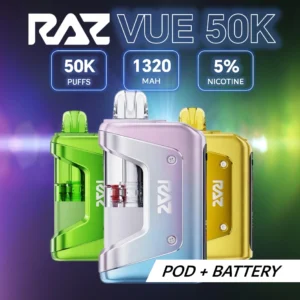
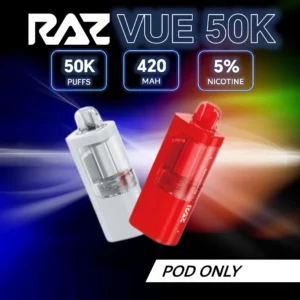
VUE 50K The modular flagship. 420mAh pod + 900mAh power bank, USB-C, HD screen, replaceable pods.
The VUE 50K is different from every other RAZ. It's a two-piece system: a flavor pod that slides into a rechargeable power bank. This changes how charging works.
Charging the VUE 50K Power Bank (Main Battery)
What About the Pod Battery?
Each VUE 50K pod has its own 420mAh internal battery. When you dock the pod into the power bank, the bank automatically charges the pod. No separate cable needed. The power bank acts like a charger for the pod.
This is why the VUE 50K system is clever: charge the bank, and the bank charges the pod. When a pod runs out of e-liquid (not battery), just swap in a replacement pod. The power bank lives on.
RAZ VUE 50K Charging Flow - Power Bank charges the Pod automatically when docked
RAZ Vape Charging Time: Every Model Compared
Here's the full breakdown. We timed these ourselves in the warehouse using standard 5V/2A adapters:
| Model | Battery | 0% to Full | Recharges per Unit | Display Type |
|---|---|---|---|---|
| TN9000 | 650 mAh | 30-45 min | 2-3 | LED (single color) |
| DC25000 / LTX 25K | 800 mAh | 45-60 min | 4-6 | LED (single color) |
| RYL Classic 35K | 820 mAh | 45-60 min | 5-7 | HD Screen (battery %) |
| RX 50K | 800 mAh | 45-60 min | 8-12 | HD Screen (battery %) |
| VUE 50K (Bank) | 900 mAh | 30-45 min | 10-15 | HD Screen (battery %) |
| VUE 50K (Pod) | 420 mAh | Auto via bank | N/A (swap pods) | N/A |
Key takeaway: All models charge in under an hour. The TN9000 is the fastest because it has the smallest battery. The VUE 50K bank charges surprisingly fast given its 900mAh capacity because its charging circuit is optimized for the pod system.
RAZ Vape Not Charging? 5-Step Fix
Grabbed a cable, plugged it in, nothing happened? Run through these five checks before you assume it's broken:
RAZ Vape Charging Troubleshooting Flowchart - Follow steps 1-5 in order
Step 1: Swap the Cable
This fixes the problem more than half the time. USB-C cables wear out, get bent internally, or just stop making a solid connection. Grab a different cable. Any USB-C cable will do.
Step 2: Try a Different Power Source
Wall adapters deliver the most consistent power. Laptop USB ports sometimes can't output enough current (especially USB 2.0 ports on older machines). Try a wall adapter rated at 5V/2A.
Step 3: Clean the Port
Pocket lint, dust, and debris collect in that tiny USB-C opening. Take a dry toothpick or a burst of compressed air and clear it out. Don't use anything metal - you'll short the pins.
Step 4: Wait and Retry
If the battery was completely drained to 0%, the protection circuit may have tripped. Unplug everything, wait 5 minutes, and try again. Some devices need a moment to reset their charging IC.
Step 5: Check for Damage
Look at the USB-C port under good light. Is it bent? Is there liquid residue inside? Does the device feel swollen or hot when not in use? Any of these = stop using it. If the device is within warranty, contact RAZ support.
If you've tried a factory reset and nothing works, the internal battery may have reached end of life. This is normal for rechargeable disposables after many cycles.
RAZ Vape Charging Light Meanings by Model
Different RAZ models show charging status differently. Here's what to look for:
RAZ Vape Charging Indicator Reference - LED vs HD Screen models
For a complete breakdown of every blink pattern and what it means, check our RAZ Vape Blinking Light Codes guide.
Best Charger for RAZ Vape
You don't need anything special. Here's what works best:
| Charger Type | Works? | Notes |
|---|---|---|
| 5V/2A wall adapter | Best option | Standard phone brick. Consistent power. Fast enough. |
| 5V/1A wall adapter | Yes | Slower but perfectly safe. Old iPhone bricks work. |
| Laptop USB-A port | Yes | Use USB-A to USB-C cable. May charge slower (0.5A). |
| Power bank | Yes | Great for on-the-go. Any USB output works. |
| Car USB port | Yes | Low amperage but works. Good for road trips. |
| 25W+ fast charger | Works but not ideal | RAZ's internal circuit limits input. Extra heat for no speed gain. |
| Wireless charger | No | RAZ does not support wireless charging on any model. |
Read more about RAZ vape compatibility and accessories to make sure you're using the right gear.
RAZ Vape Charging Safety Tips
RAZ devices use lithium-ion batteries. Same technology as your phone, laptop, and electric car. Safe when handled properly. Here are the rules:
- Don't charge on soft surfaces (beds, couches, pillows). Heat needs to dissipate. Hard flat surface only.
- Don't leave charging unattended overnight. All RAZ models charge in under an hour. Set a timer if you forget.
- Don't charge a wet or damaged device. If the unit was dropped in water or the port looks crushed, stop. Replace the unit.
- Don't use damaged cables. Frayed wires or exposed metal = fire risk. Toss it and grab a new $3 cable.
- Don't charge in extreme heat. In your car during summer with the windows up? That's 140°F+. Bad idea.
- Do unplug when fully charged. Modern devices have overcharge protection, but why stress the battery?
The FDA maintains a resource page on electronic nicotine delivery systems with general safety information. For lithium-ion battery recycling when your device reaches end of life, the EPA provides disposal guidelines.
Can You Vape While Charging? (Pass-Through)
This is one of the most common questions we get. Short answer: it depends on the model.
Some RAZ devices support pass-through charging (vaping while plugged in), but we don't recommend making it a habit. Here's why:
- Heat buildup. Charging generates heat. Vaping generates heat. Doing both simultaneously puts extra thermal stress on the battery.
- Slower charging. You're drawing power while trying to store it. The math doesn't work in your favor.
- Battery degradation. Frequent pass-through use can reduce overall battery cycle life.
Our recommendation: put it down for 30-45 minutes, let it charge fully, then pick it back up. Your device will last longer.
Need a New RAZ? We Ship From Pomona, CA
All 5 models in stock. Free shipping on orders over $59. Guaranteed authentic with verification codes.
Shop VUE 50K Shop RX 50K Browse All ModelsFrequently Asked Questions
How long does it take to charge a RAZ vape?
It depends on the model. The TN9000 charges in 30-45 minutes (650mAh battery). The DC25000, RYL Classic 35K, and RX 50K take 45-60 minutes (800-820mAh). The VUE 50K power bank takes 30-45 minutes (900mAh). All models use USB-C with a standard 5V adapter.
What charger does RAZ vape use?
All current RAZ models use USB-C. You can use any USB-C cable with a 5V wall adapter, laptop USB port, power bank, or car charger. No proprietary charger needed. A basic USB-C cable from any store will work.
Why is my RAZ vape not charging?
Try these fixes in order: 1) Use a different USB-C cable (most common fix). 2) Try a wall adapter instead of a laptop port. 3) Clean lint/dust from the USB-C port with a dry toothpick. 4) Wait 5 minutes and retry (over-discharge protection may need to reset). 5) Check for physical damage. If none of these work, the battery may have reached end of life.
Can I charge my RAZ vape with a phone charger?
Yes, as long as your phone charger has a USB-C cable. Android phone chargers work directly. For iPhones with USB-C (iPhone 15 and later), the cable works. Older iPhones with Lightning connectors won't work - you'll need a separate USB-C cable. Any 5V adapter is fine.
How do I know when my RAZ vape is fully charged?
LED models (TN9000, DC25000): The LED light turns off when fully charged. Screen models (RYL 35K, RX 50K, VUE 50K): The HD display shows 100% battery. Once full, disconnect the cable to preserve battery health.
Can I use my RAZ vape while it's charging?
Some RAZ models support pass-through charging, but we don't recommend it as a regular habit. Vaping while charging generates extra heat, slows the charge, and can reduce overall battery lifespan. RAZ devices charge in 30-60 minutes - just set it down and wait. Your device will last longer.
How many times can you charge a RAZ vape?
The number of charge cycles varies by model. TN9000: 2-3 charges. DC25000: 4-6 charges. RYL Classic 35K: 5-7 charges. RX 50K: 8-12 charges. VUE 50K bank: 10-15 charges. Each charge cycle delivers enough power to vape through the corresponding portion of the device's total puff count.
Is it safe to charge a RAZ vape overnight?
We don't recommend it. RAZ devices have built-in overcharge protection circuits, but leaving any lithium-ion device plugged in for hours longer than necessary generates unnecessary heat and stress. Since every RAZ model charges fully in under one hour, there's no reason to leave it plugged in overnight. Charge it before bed, unplug, done.
Why is my RAZ vape blinking while charging?
A blinking light while charging usually means a connection issue. Try a different cable first. If the blinking persists, clean the USB-C port and try a wall adapter. Rapid blinking may indicate a short circuit or internal error. For a full breakdown of every RAZ blink pattern, see our RAZ Vape Blinking Light Codes guide.
Can you overcharge a RAZ vape?
RAZ devices include overcharge protection circuits that stop drawing current once the battery reaches 100%. So technically, you can't "overcharge" them. But leaving a device plugged in for extended periods (hours after it's full) still generates low-level heat that degrades battery health over time. Best practice: unplug as soon as it hits full.